Person
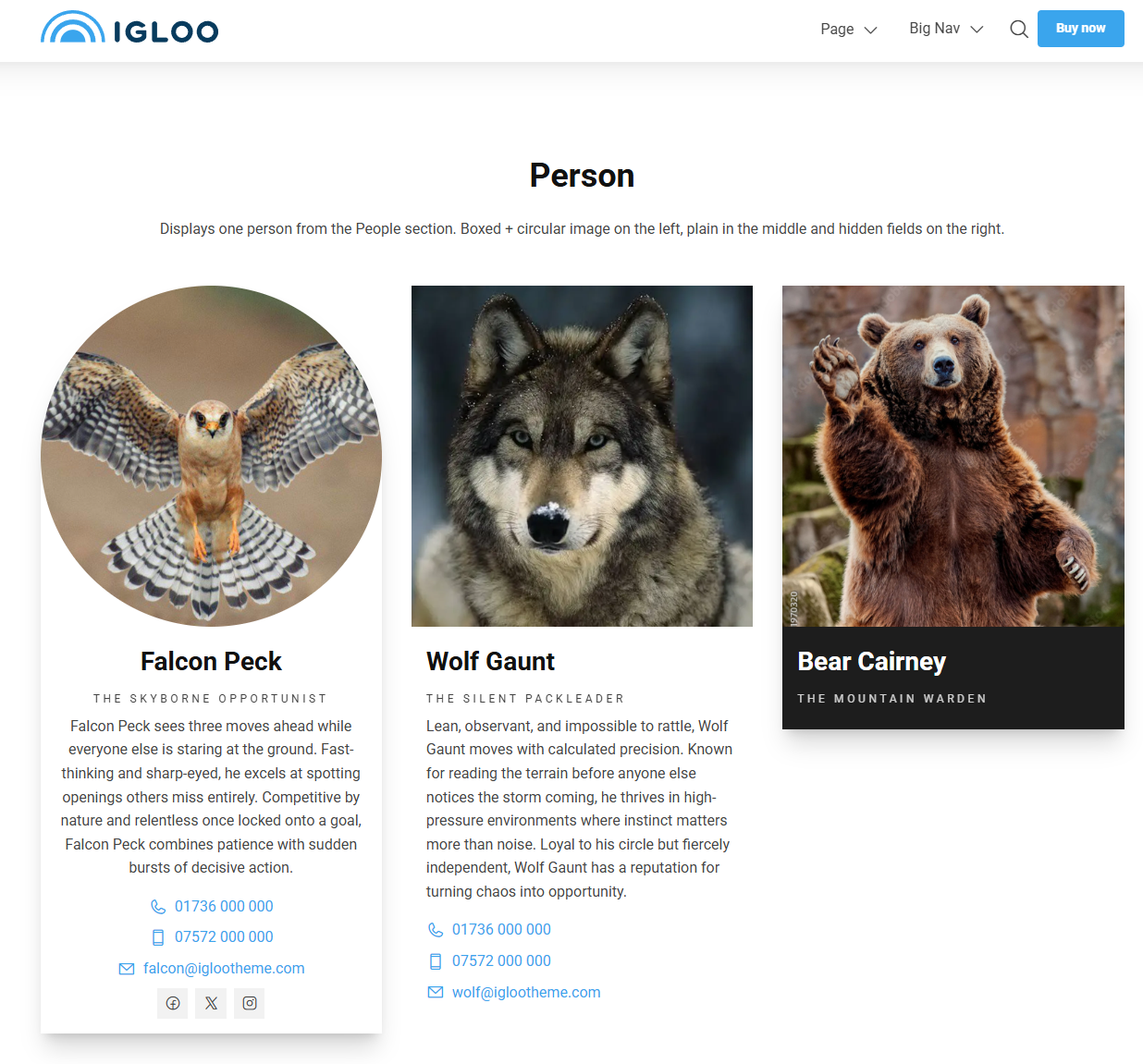
The Person block displays a single person — their photo, name, role and contact details — pulled from a Person node. To show several people at once, use the People block.
Create the person first
This block displays a Person node you've already created under the People section. See People for how to add people.
Content
| Property | Description |
|---|---|
| Person | The Person node to display, chosen from the content tree. Required. |
Settings
| Setting | Description |
|---|---|
| Boxed | Draws a box around the person. |
| Circle Image | Shows the person's image as a circle. |
| Text Alignment | Horizontal alignment of the text. Options: Left (default), Center, Right. |
| Hide Description | Hides the person's description. |
| Hide Social Links | Hides the person's social links. |
| Hide Email | Hides the person's email address. |
| Hide Phone Numbers | Hides the person's phone number(s). |
| Hide Address | Hides the person's address. |
| Social Link Size | Size of the social link icons. Options: Small, Default (default), Big. |
| Social Link Style | Shape of the social link icons. Options: None (default), Rounded, Full. |
In addition to the above, the Person block uses the shared common settings and the column span chosen in the grid.