Page
The Page node allows you to create flexible page layouts using a selection of content widgets.
Content

| Property | Description |
|---|---|
| Content | Add content to the page by choosing different widgets. You can modify and sort each block in different ways to make up the design. |
SEO
| Property | Description |
|---|---|
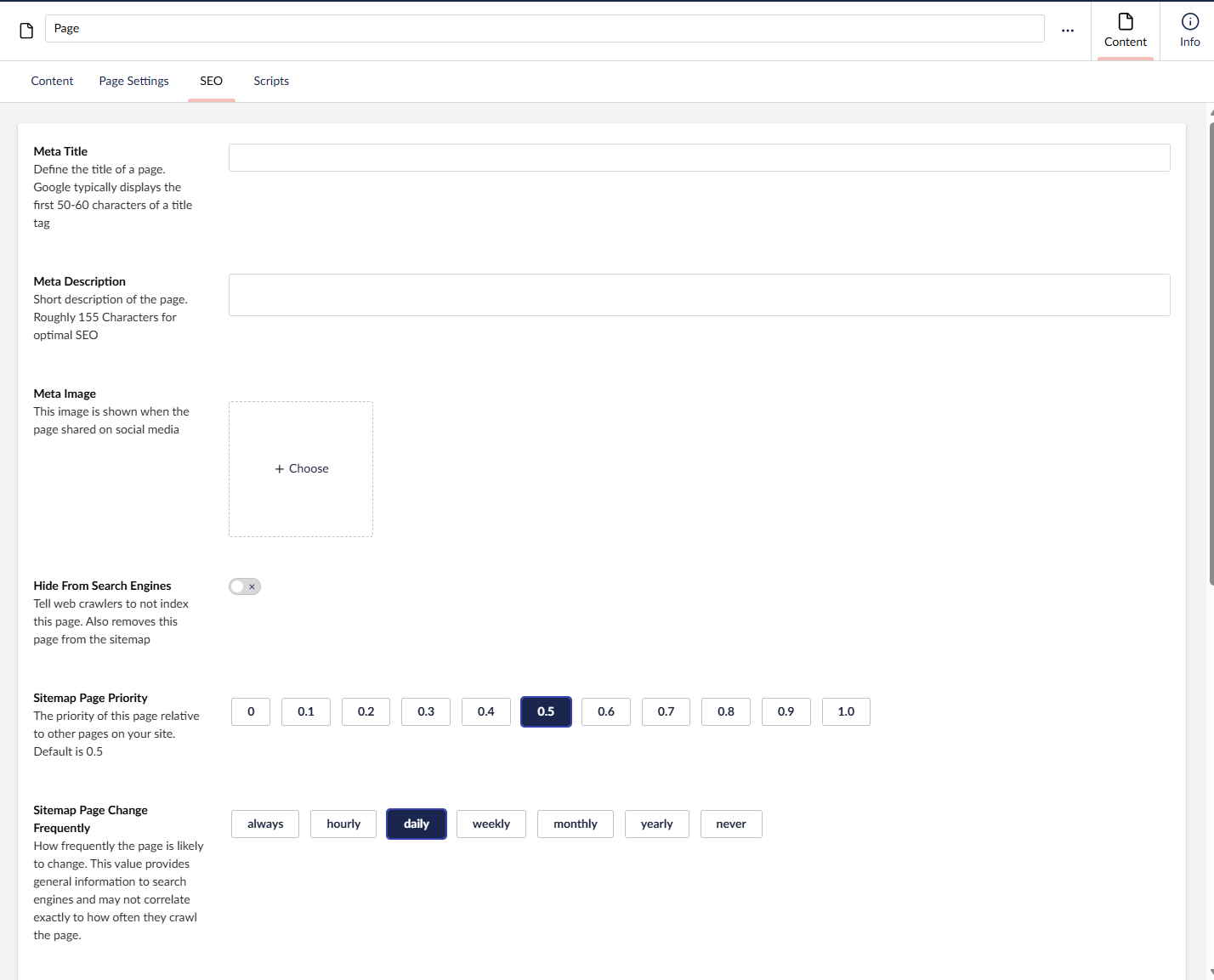
| Meta Title | Defines the title of the page. Google typically displays the first 50–60 characters of a title tag. |
| Meta Description | Short description of the page. Roughly 155 characters for optimal SEO. |
| Meta Image | Shown when the page is shared on social media, chosen from the media library. |
| Hide From Search Engines | Tells web crawlers not to index this page. Also removes the page from the sitemap. |
| Sitemap Page Priority | The priority of this page relative to other pages on your site. Options range from 0 to 1.0; default is 0.5. |
| Sitemap Page Change Frequently | How frequently the page is likely to change. This is general guidance for search engines and may not match how often they crawl the page. Options: Always, Hourly, Daily (default), Weekly, Monthly, Yearly, Never. |
| Override Canonical URL | Replaces the page's automatically generated canonical URL with a custom one. Provide the complete address, including the protocol (for example, https://www.website.com). |
| Alternative URL | Specifies additional URL paths that should point to this page. Values must be lowercase, must not start with a forward slash, and must not include a file extension (for example, examplepage1, examplepage2/this-is-a-test). |
| Alternative Name | Defines a custom page name that replaces the default node name when generating the page's URL. |
Settings
| Setting | Description |
|---|---|
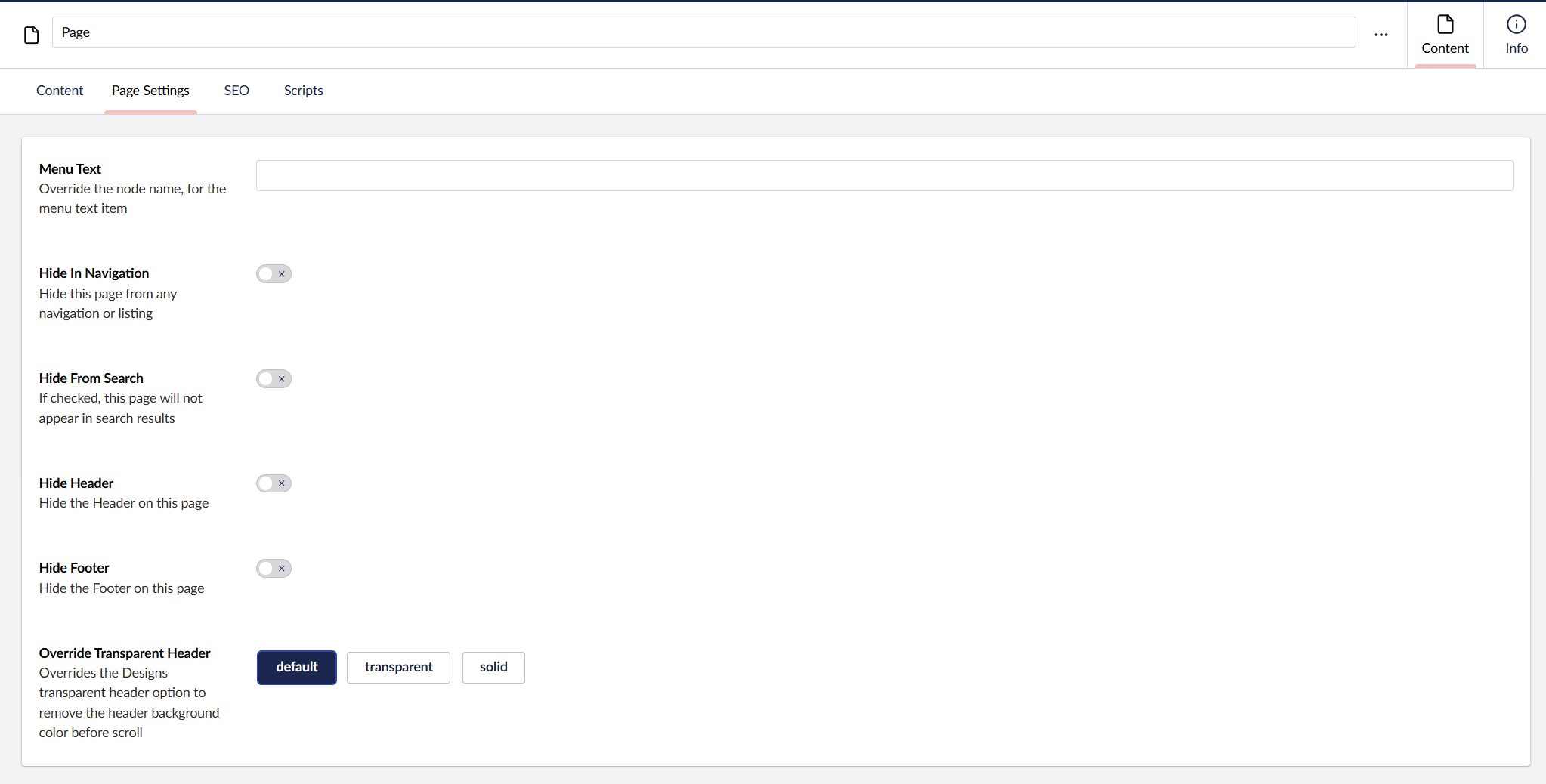
| Menu Text | Overrides the node name used for the menu / navigation text item. |
| Hide In Navigation | Hides this page from any navigation or listing. |
| Hide From Search | If enabled, this page will not appear in search results. |
| Hide Header | Hides the Header on this page. |
| Hide Footer | Hides the Footer on this page. |
| Override Transparent Header | Overrides the Design's transparent header option to remove the header background colour before scroll. Options: Default, Transparent, Solid. |
Scripts
| Setting | Description |
|---|---|
| Scripts | A list of scripts rendered on this page, in addition to any global scripts. |
| Disable Global Scripts | Disables loading of all Global Scripts added via General Settings. |