Positioning content across a row
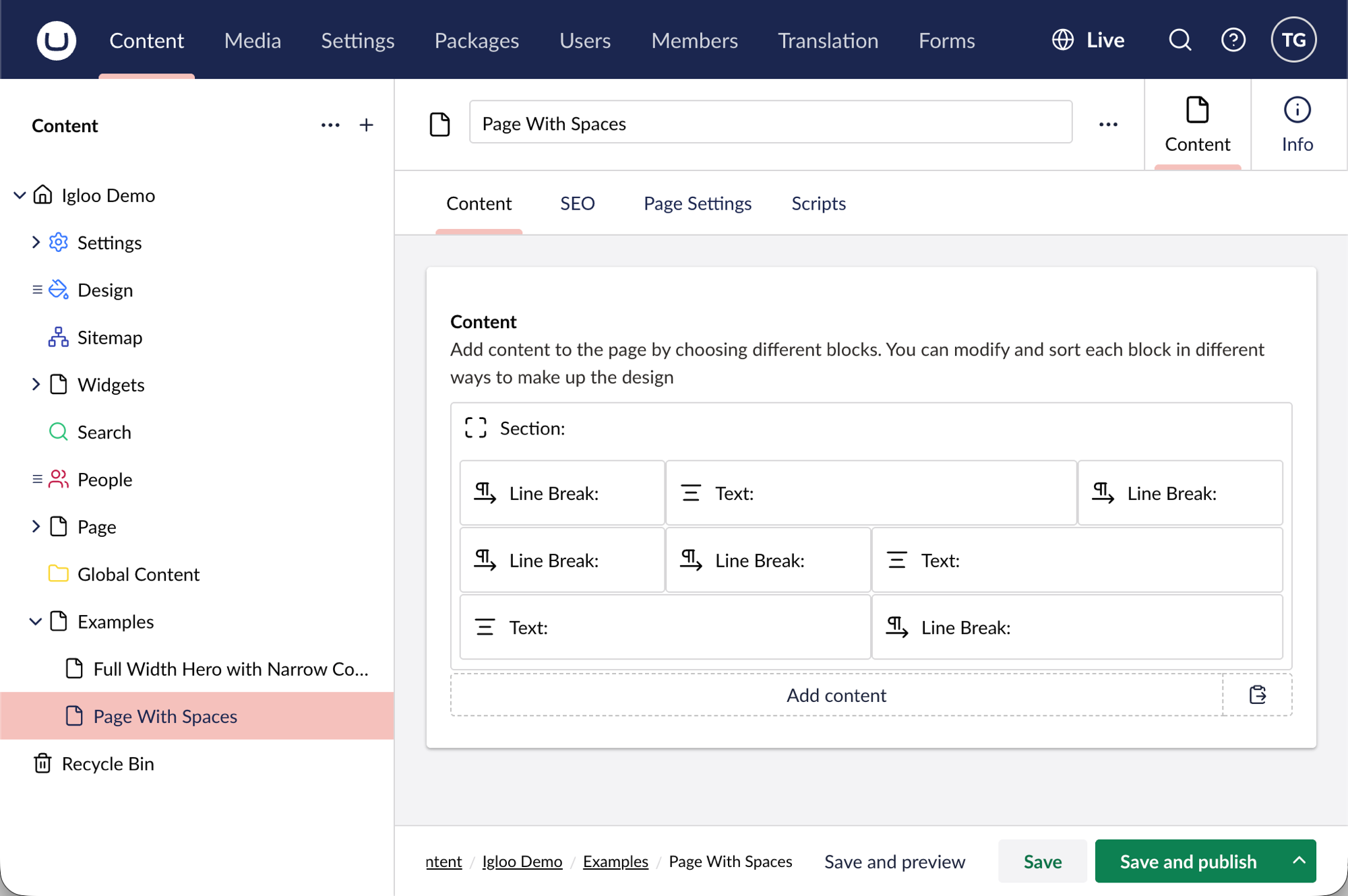
Sometimes you don't want a block to fill the whole row. You might want a paragraph sitting over on the right, or a narrow column of text with empty space either side. In v17 you do that by giving your block a column span and filling the rest of the row with Line Break blocks, which act as empty spacers.
A Line Break takes up grid columns like any other block, but renders nothing on the page. Drop one beside your Text, resize both, and the empty space pushes the Text where you want it.
You can see this on the Igloo demo site.
The Line Break is the easiest way to leave deliberate empty space in a row. Give it a column span and it holds that width open without showing anything.
How it works
Each row sits on a 12-column grid, and a block only moves across the row if something fills the columns next to it. A Line Break is that filler:
- One before your Text pushes the Text to the right.
- One after it leaves a gap on the right, keeping the Text on the left.
- One on each side sets the Text in a centred or narrow column.
Build it
- Add a Section for the band, then add a Text block inside it.
- Resize the Text to the width you want by dragging its edge in the grid (see column span).
- Add a Line Break next to it and resize it to fill the rest of the row. The Text shifts across to make room.
- Carry on down the page. A Line Break also starts a new row, so anything after it drops to the next line.
In the editor you end up with a mix of Text and Line Break blocks sharing each row:
Result
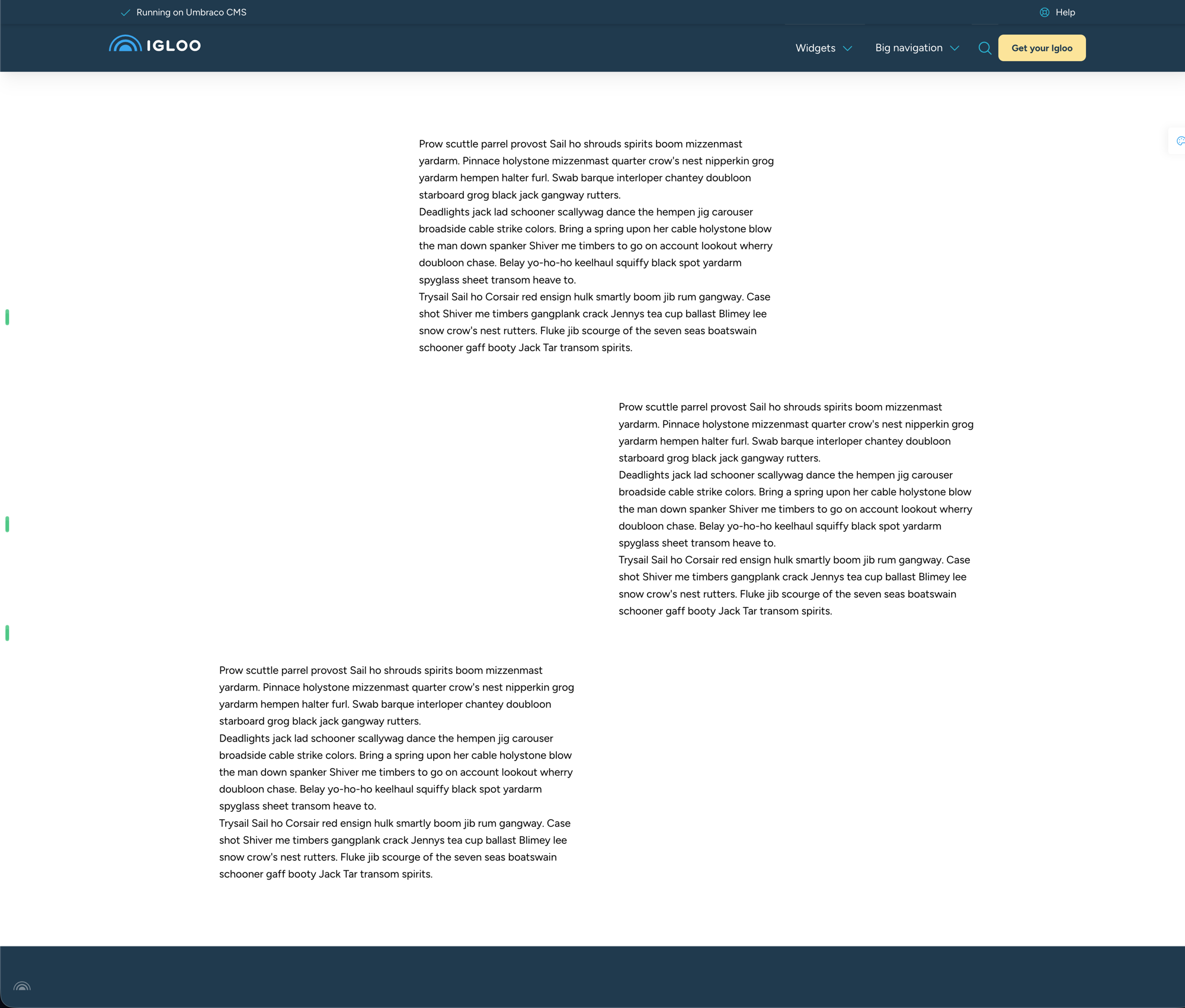
On the page the Line Breaks are invisible. The text lands where their spacing put it, with clean empty space around it.
Related
- Line Break — its divider line and Height options.
- Common settings: Column span — how block widths work on the grid.
- Hero with a guttered section below — another layout walkthrough.