Theme customization
Theming in Igloo has fundamentally changed in version 17. It is replaced by a new design system that enables more flexability and customisation.
You can find the site design nodes under Design in the content tree. The General settings no longer has any design properties only a required Base Design picker to let each block select which Palette style to use. Designs contain all settings for Spacing, Fonts, Header and Footer styling that you need.
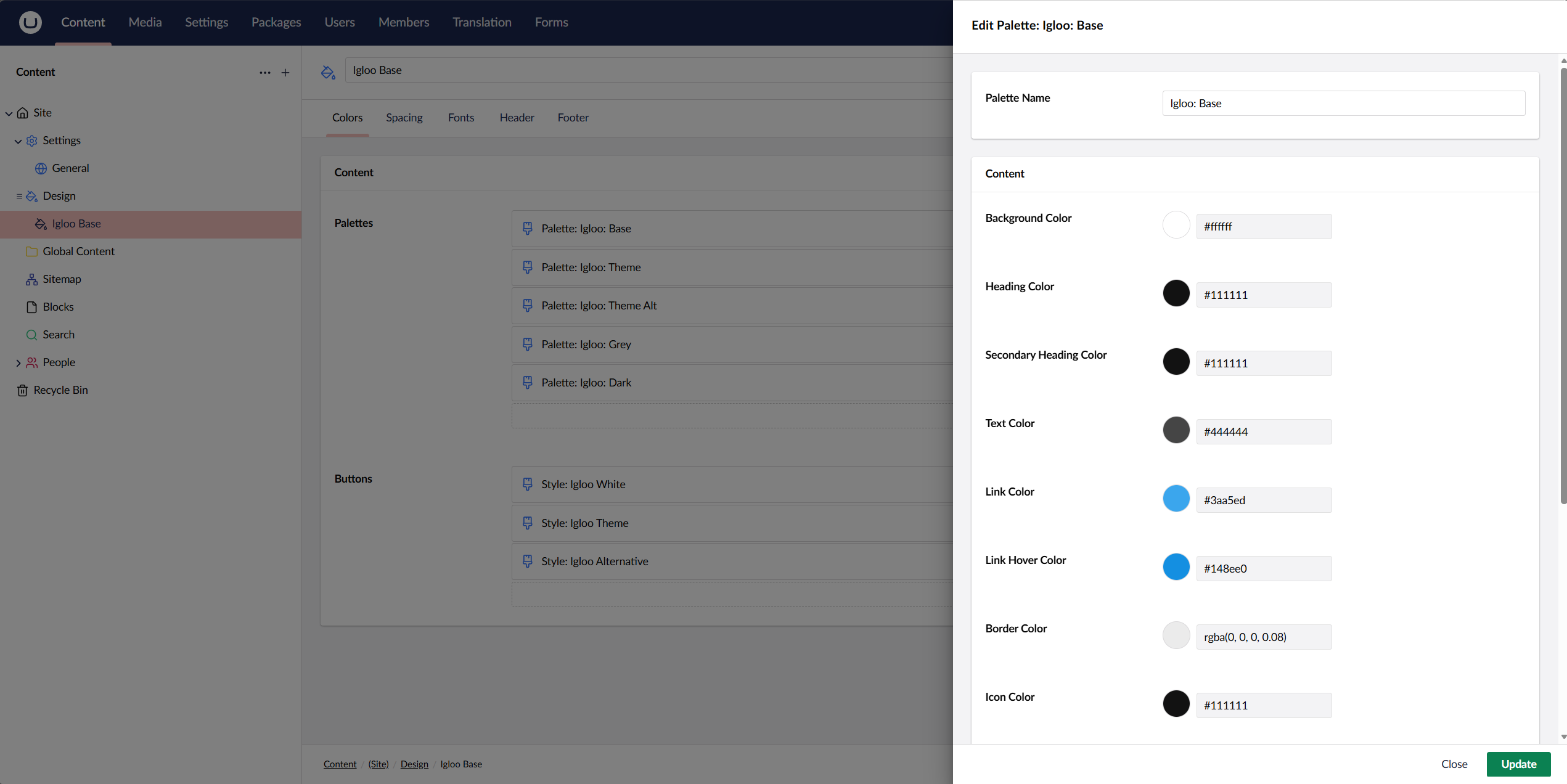
You can have as many Palettes as your site design needs.
Fonts
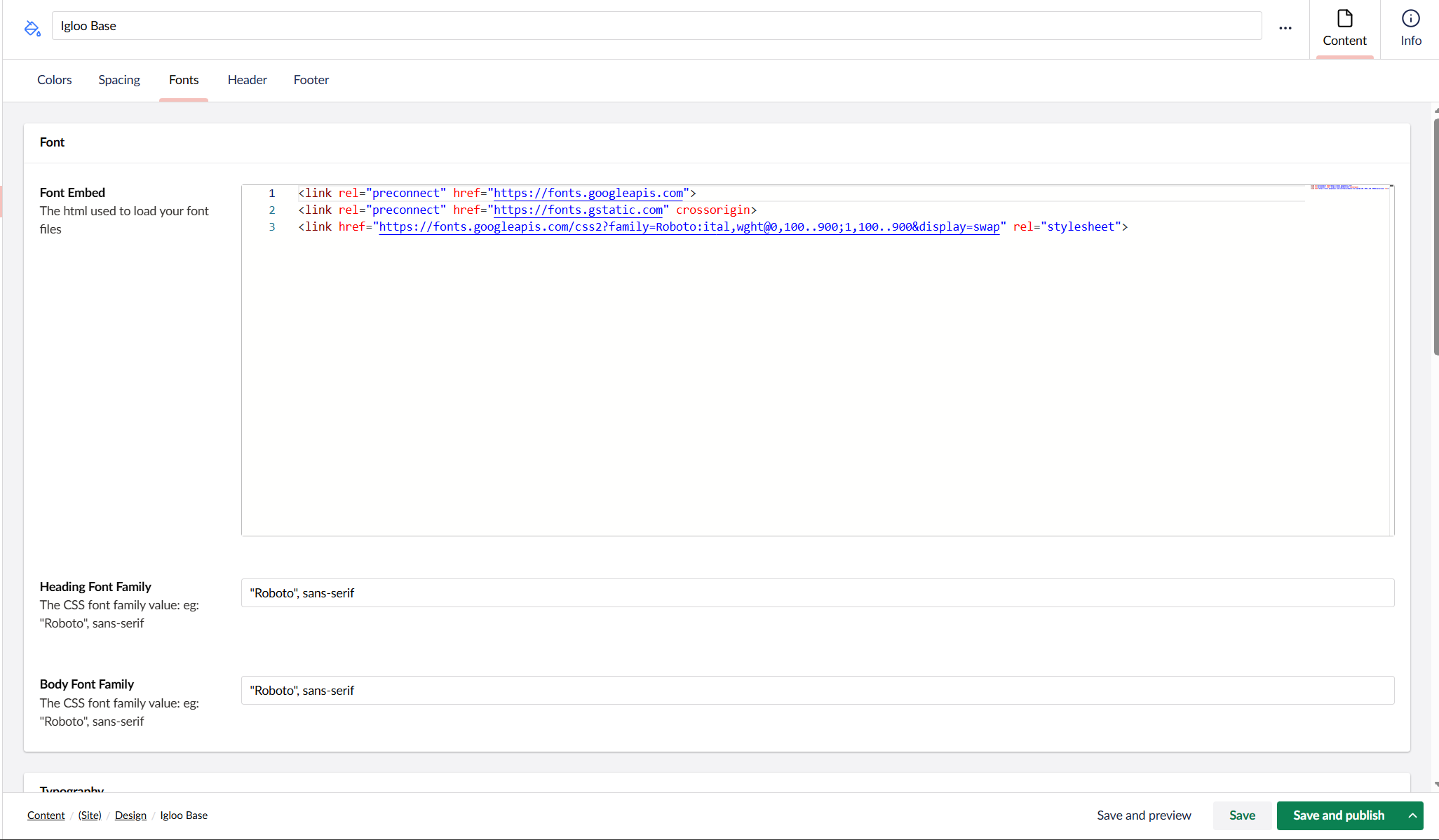
By default Igloo uses Roboto Font. To change this first change the Embed Font under Design -> Igloo Base -> Fonts. Next change the font stack on Body Font & Heading Font
Design Explorer
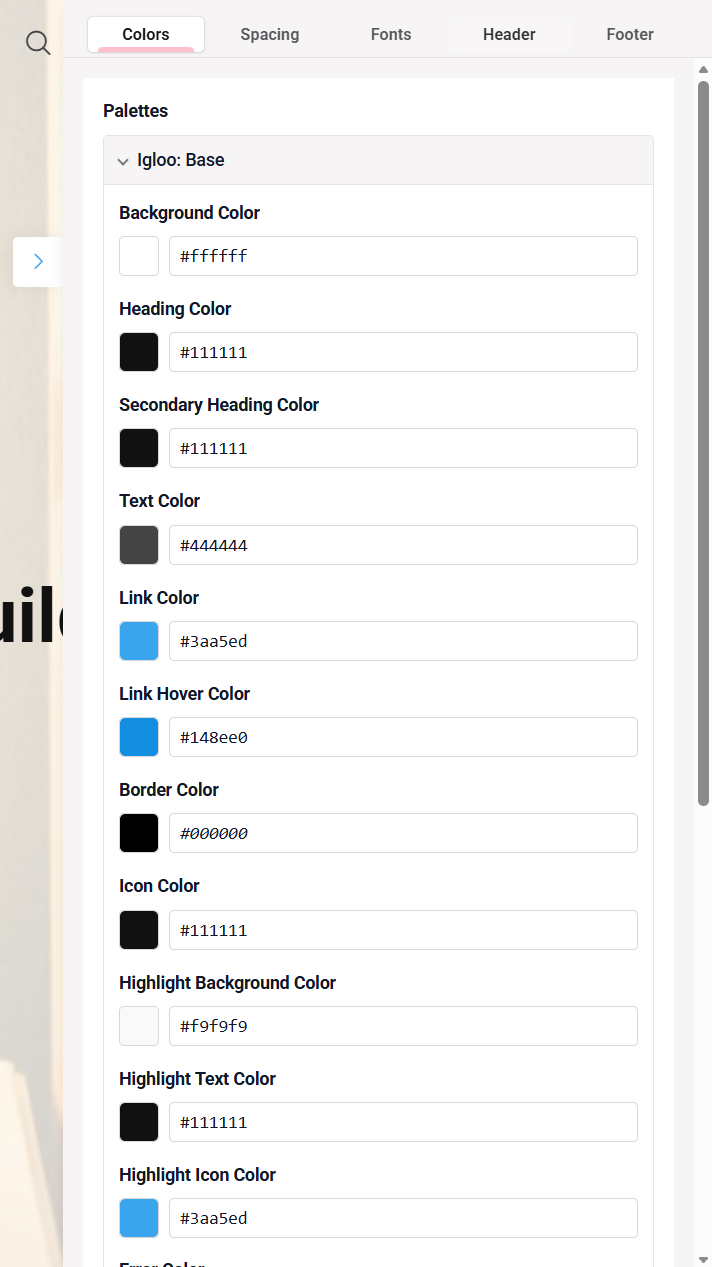
When you're previewing the content you're working with, you can use the Design Explorer to change colors on the website, set different fonts for the headings and text as well as customize various other aspects of the website.
To access the The Design Explorer contains the following sections: Explorer, follow these steps:
- Select a piece of content from the Content tree
- Use the Preview feature at the bottom of the page
- Access the Design Explorer by selecting the green pencil-button in the right side of the screen
The Design Explorer contains the following sections:
- Palettes: Define the colors in each palette the site is using
- Spacing: Change the spacing used by the site
- Fonts: Change the fonts used for headings and the main body of text
- Header: Customize how the header of the site should look
- Footer: Change the design and size of the Footer
Any changes made and saved through the Design Explorer will automatically be saved to the Design settings.
Custom CSS
To go beyond the design system and add your own styles, or override the theme, use the Custom CSS site.css file.